You can now ask customers using Universal Chat for protected information such as a credit card number, token, or similar. When using the request for protected information feature, the information provided by the customer is not part of the transcript.
You can request the following types of protected information:
- Credit card will show common fields for a credit card — name, credit cards number, expiration and the security code
- Secret text will show one text input line - you can use these fields to confirm government-issued ID, or similar information
Although it is preferable that the agents do not handle or manipulate the protected information at all, sometimes it is necessary to bridge customers’ requests with available systems on your side, and protected information is sometimes necessary to verify customers, help them with a purchase process, etc.
Live Conversations
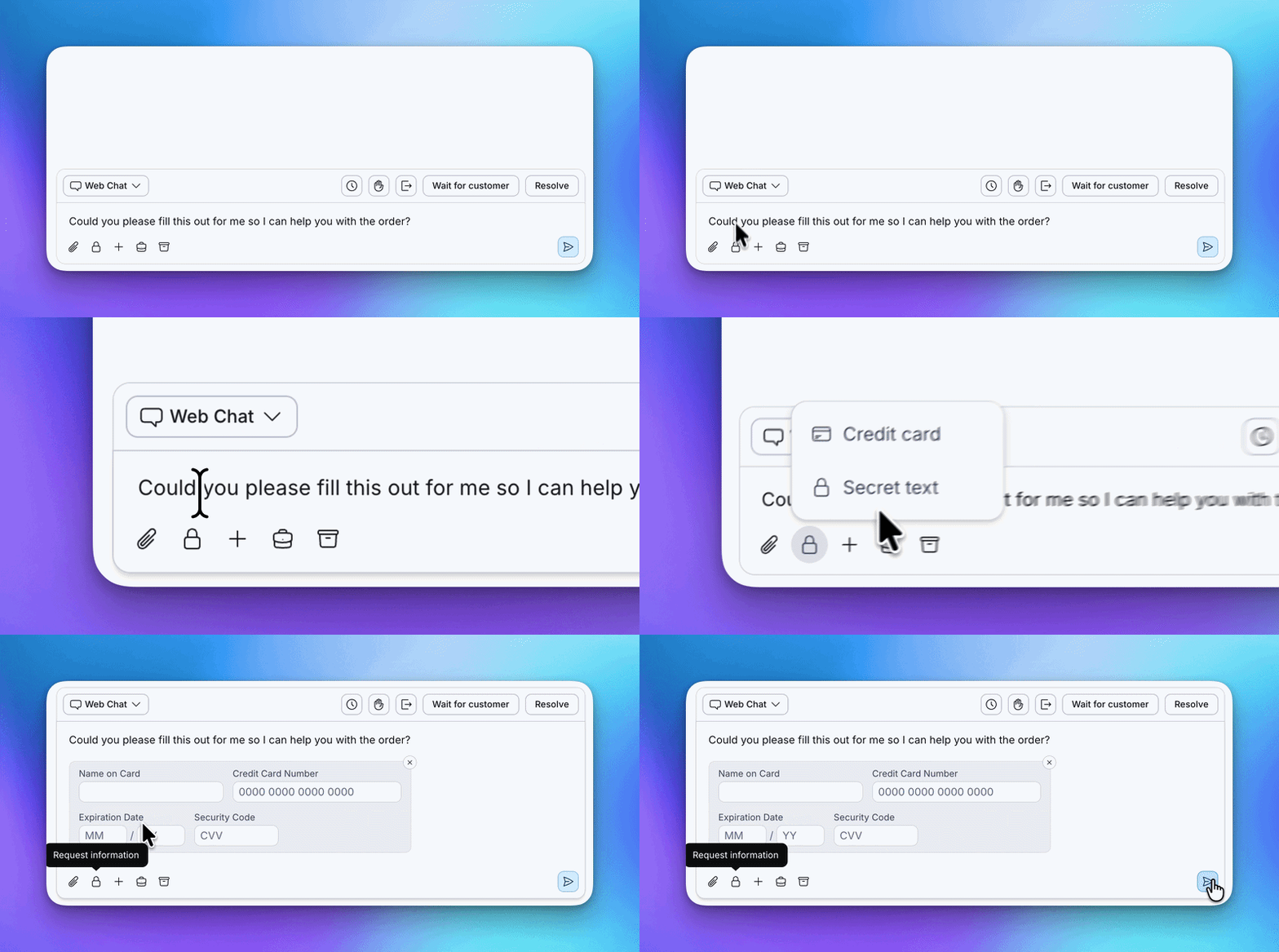
To request protected information:
- Press the Lock icon in the reply are
- Pick Credit card or Secret text
- Optionally write an accompanying message to the customer
- Press Send icon
To view or copy the protected information:
- Click in the Eye icon
- Use the copy buttons in the input fields to bring the information to another secure system
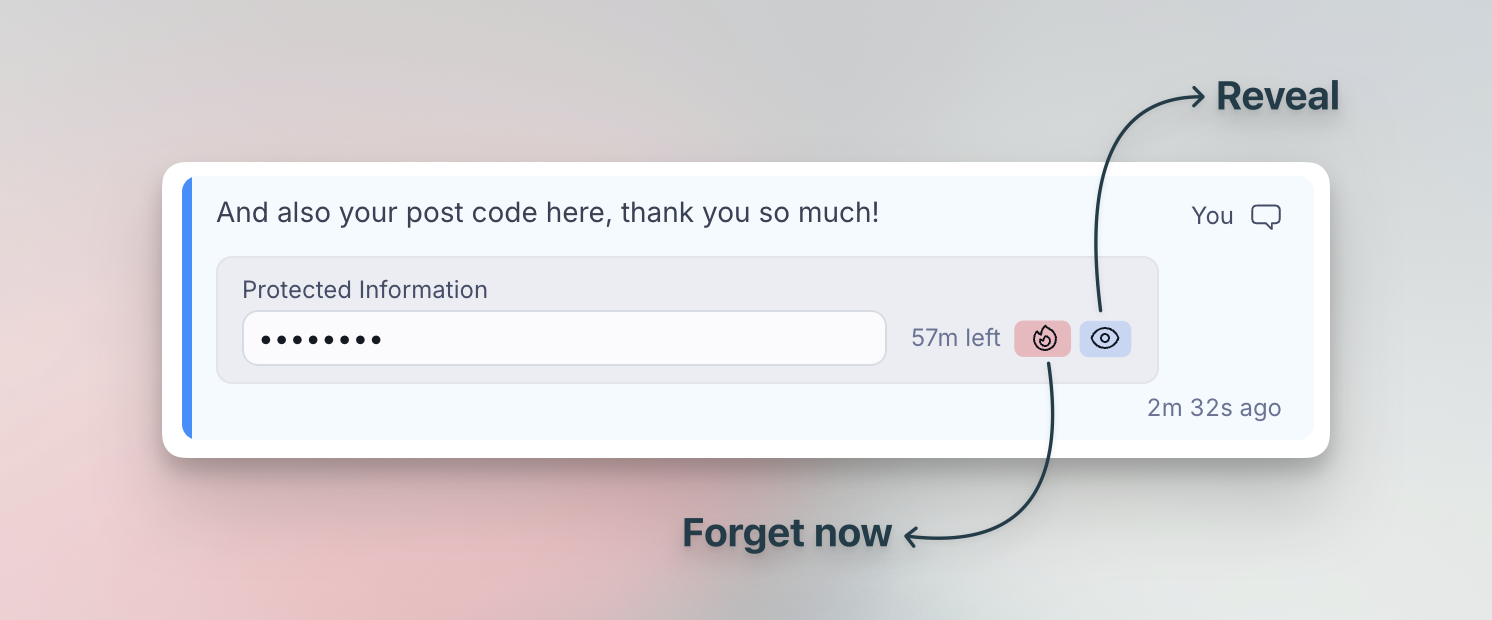


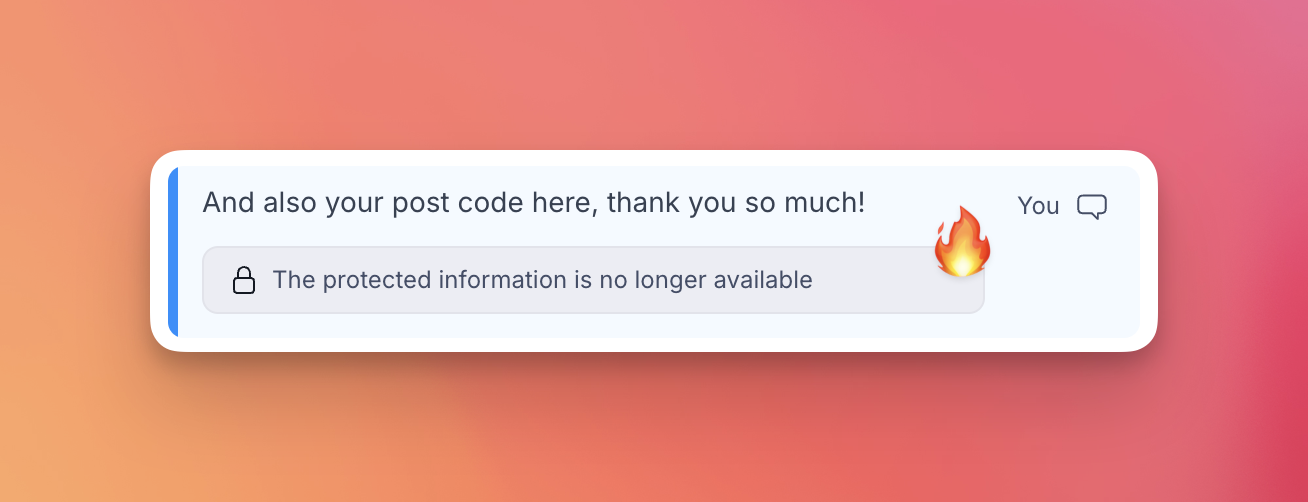
You can also let Salted CX forget the information before the 1 hour limit expires. This is a good practice to reduce exposure of private information even further. To forget the protected information:
- Press the Flame icon
- Confirm in the dialog that you will no longer need the protected information
Universal Chat
In Universal Chat, the customers see different widgets depending on the information they should provide:
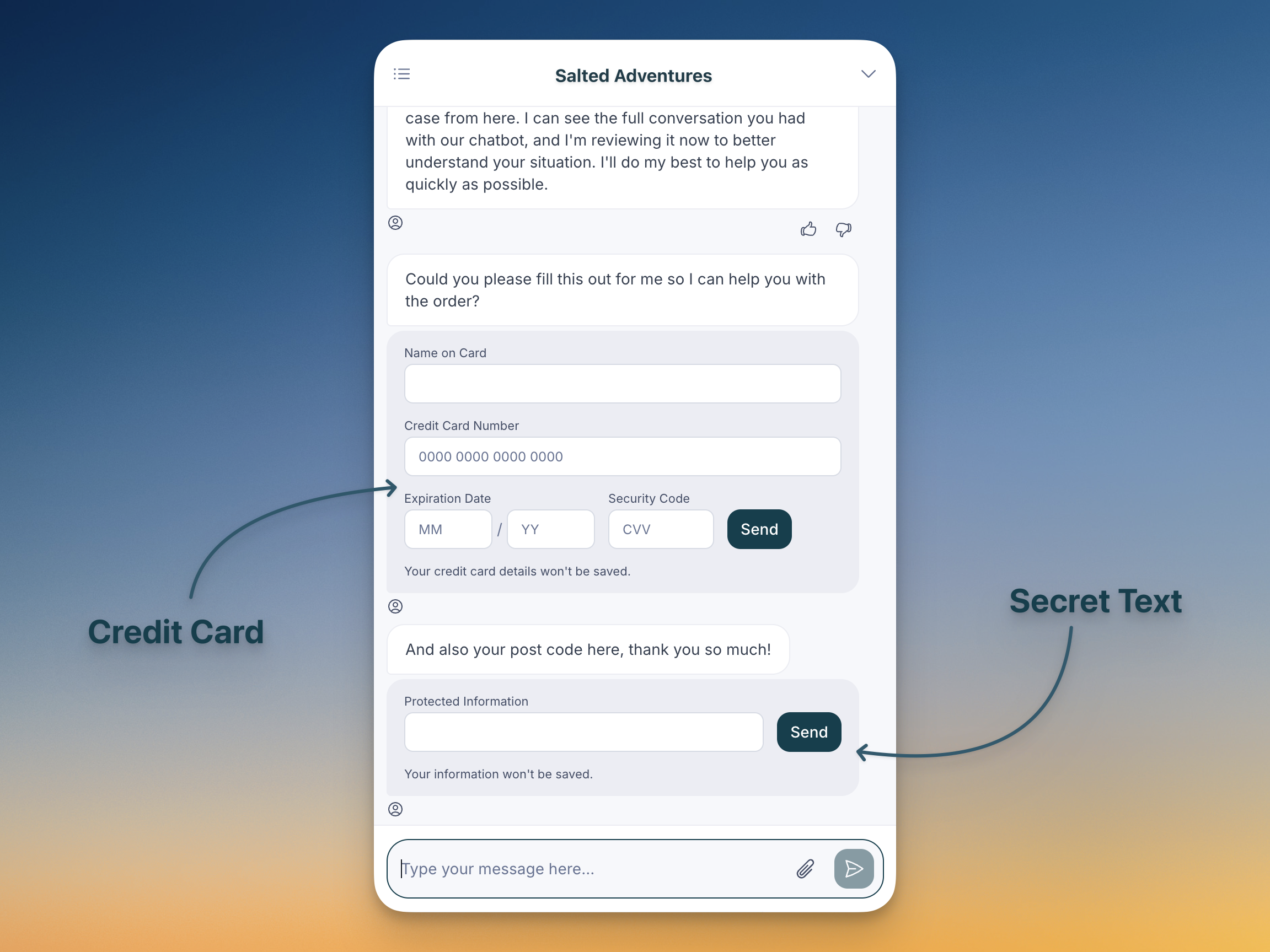
Once the customer sends the information, the agent has one hour to access it and work with it.
Privacy
All information the agent requests using this feature:
- Is NOT stored at rest. The information is kept only in memory.
- When received the information time to live is set to 1 hour. After one our the information is purged from memory.
- Agent can remove the information from memory sooner by pressing a button.
- Each access to the information is logged and can be audited.
- The information is not contained in transcripts in events to Your Logic.
- The information is not contained in any exported data.