Universal Chat enables your customers to message you from your website or application. Universal Chat is deeply integrated with Salted CX AI features, Live Conversations, Your Logic and analytics. It does its best to simplify collection of customer feedback and important metrics to help get deeper insight into both quality of the conversations and performance.
You can use Universal Chat on multiple websites and have multiple brands that have different look and feel and behavior. Check Universal Chat Settings to learn how to customize Universal Chat and include it in your website or application.
To use Universal Chat connected to you Salted CX account follow instructions in Universal Chat Integration. We also recommend to go through Your Logic Implementation Tips when implementing Your Logic to provide the best possible customer experience.
Open Universal Chat
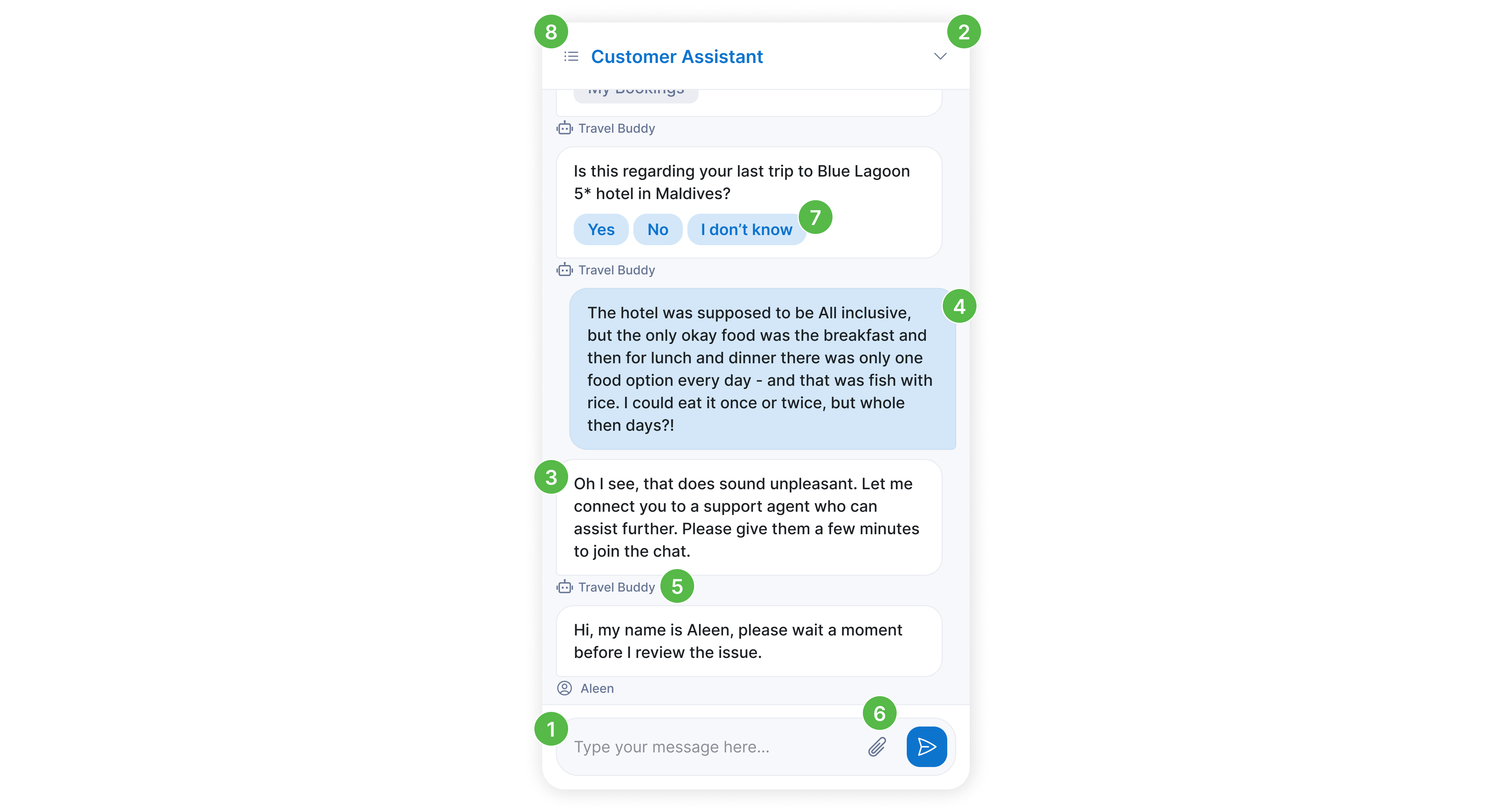
Universal Chat takes very little space by default. It is represented by a floating chat button in the bottom right corner of the website. If users click the chat button Universal Chat automatically opens a new conversation and focus the response field  , so the customer can immediately ask for help. If chat is not needed anymore, top right arrow button
  collapses it.

Messages
Messages are in chat bubbles  with customers bubble
  being based on brand settings color selected in Universal Chat settings. Avatar and name
  (optional — toggle visibility in Settings) indicate whether the message was sent by a bot or by a living agent. All messages no matter from which agent or bot are sent have the same color as we do not provide the customer insight into inner workings of you contact center.
Images
Customers can upload images by pressing the paperclip icon  . They can always choose an image from their computer. In case the customer is using a phone or similar device they can also capture a new photo using their camera. Customers can upload multiple images at once. Limit for individual files is 10MB.
Questions
Agents or Your Logic can ask the customer questions. In that case a customers receives a question and set of possible answers  they can select from.
Universal Chat enables the customer NOT to answer the question and write a free text reply. This is intentional to give the customer maximum freedom in communicating modality they prefer.
Agents can ask questions from Live Conversations. Your Logic can ask questions by using their PID in Salted CX or create ad-hod questions with custom answers that are dynamically generated.
Conversations
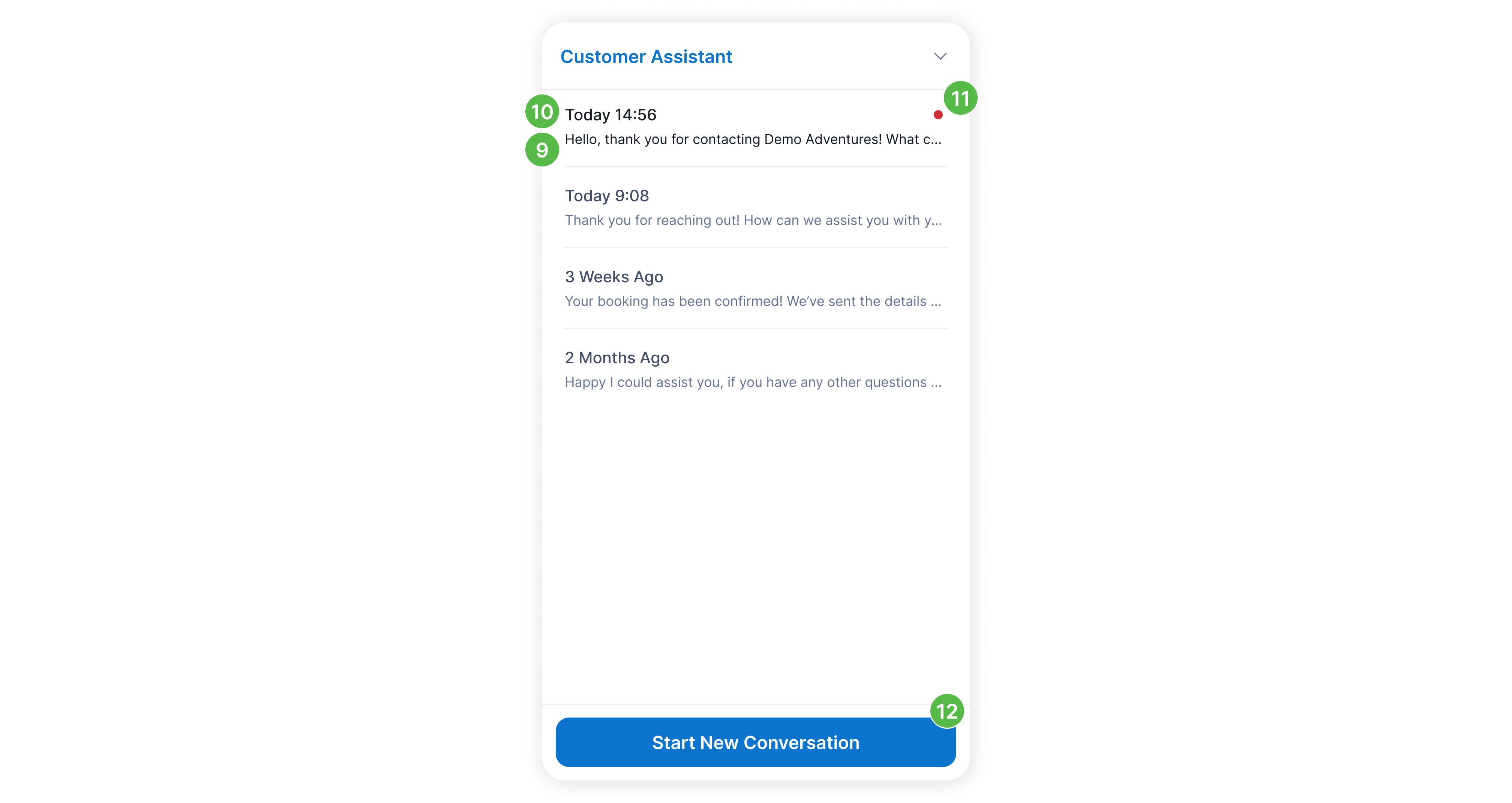
Universal Chat enables the customer to have multiple conversations opened in their chat session. The list of conversations, accessible from current conversation by clicking the list icon  on the top left, show the last message
  sent in the chat session either by the customer or by agents. Each conversation is showing how long the conversation took place as a headline
  . If there is a new message in a conversation, small notification badge
  will show on the right side of the conversation (or in collapsed chat state, badge is shown on the floating chat button). Customers can click the conversations to open them or click Start New Conversation
  to open new one.